Specification
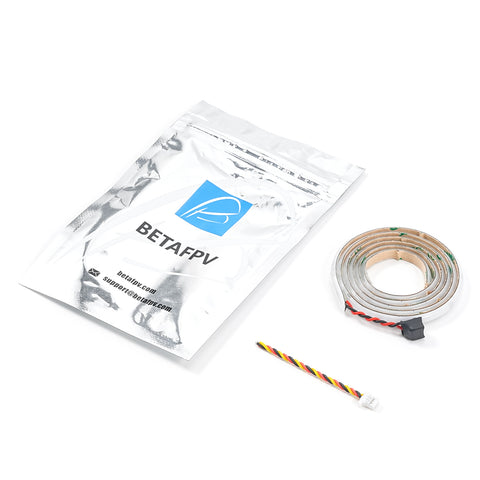
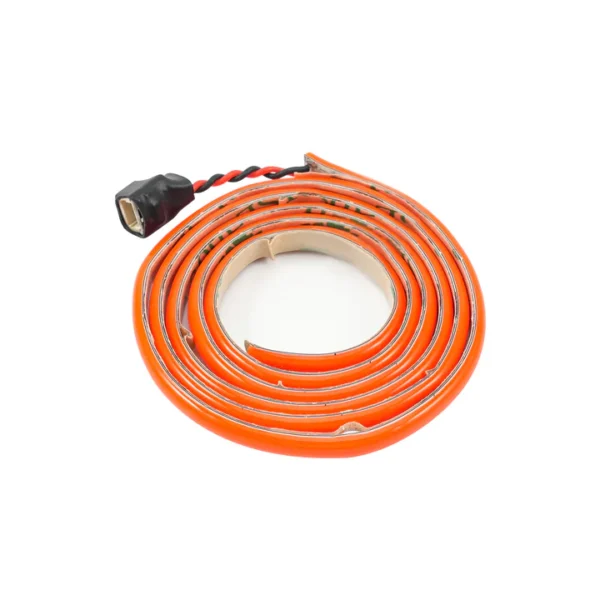
- Item: Pavo Series COB LED Strip
- Color: Red
- Length: 560mm
- Width: 4mm
- Supply Voltage: 5V
- Current: 450mA~600mA(560mm)
- Control Signal: High and Low Logic Levels
- Applicable Drone: Pavo Pico, Pavo20, Pavo25 V2, Meteor85(560mm), Pavo35(750mm)
Configuration
The Pavo Series COB LED Strip configuration instructions are as follows:
- Connect the flight controller to the Betaflight Configurator and switch to the CLI configuration interface.
- Enter “resource” in the CLI configuration interface to export the serial port configuration of the flight controller.
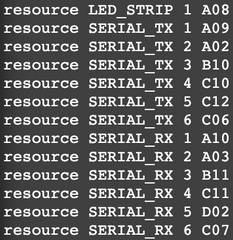
- Select the available port on the flight controller as the control port to control the COB LED Strip. The following takes the LED_STRIP port as an example to configure the PINIO function of the flight controller:
| resource LED_STRIP 1 NONE | //Release the serial port function of the LED_STRIP pin |
| resource PINIO 1 A08 | //Set the LED_STRIP pin (i.e., serial port A08) as PINIO function |
| set pinio_box = 40,255,255,255 | //Configure the parameters of the PINIO function |
| save | //Save configuration |
- Set the mapping relationship between the radio transmitter and the flight controller’s PINIO function. In Betaflight Configuration, assign the PINIO function (USER1 in the diagram below) to the switch on the remote controller (taking AUX3 as an example).

Note: The appearance of the Ice Blue COB LED Strip is light yellow, while the Green strip is white, and the white strip is yellow.
Package
- Item: Pavo Series COB LED Strip
- 1 * Pavo Series COB LED Strip
- 1 * 3-Pin Cable